Part 1 and part 2 walked through the VSPC API one call at a time. Across both posts it takes 11 calls to get a customer from a company record in VSPC to a Vault repository on their VBR server. That’s fine for learning how it fits together, but nobody wants to paste 11 blocks of PowerShell for every new customer.
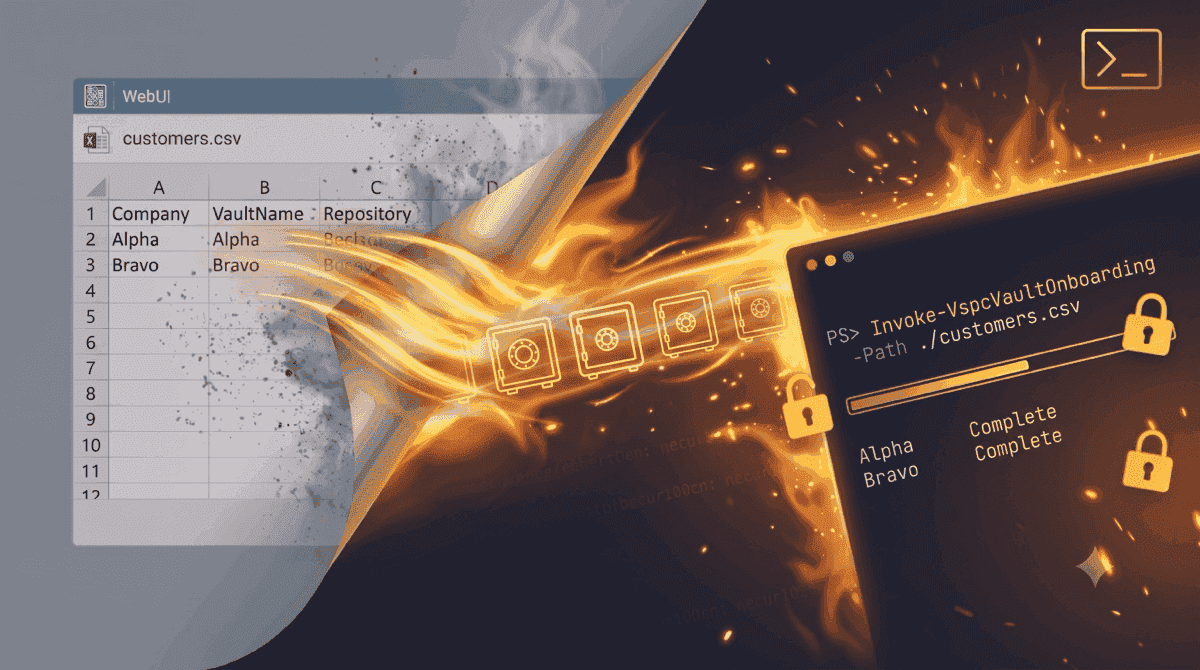
This post turns those calls into something you can actually run. Rather than one big script, it’s a file of PowerShell functions you dot-source into your session. Each function wraps one API call, so you can use them on their own for one-off jobs, and Invoke-VspcVaultOnboarding chains them together to onboard a whole CSV of customers in one go.
The script and an example CSV are in my scripts repo on GitHub if you want to follow along.
Why Functions Instead of One Script#
My first plan was a single script that takes a CSV and does everything. The trouble is that onboarding is rarely the only job. Sometimes a customer already has a tenant and just needs a second vault, or a new VBR server needs an existing vault assigned to it. A single script either can’t do those, or grows a pile of switches to skip steps.
Splitting it into functions keeps each piece small and testable. The bulk onboarding is then just another function that calls the others in order, and if it doesn’t fit your process you can write your own wrapper from the same building blocks.
Loading the Functions#
The script needs PowerShell 7 or later. It uses -SkipHttpErrorCheck and bearer token authentication on Invoke-WebRequest, and neither exists in Windows PowerShell 5.1.
Dot-source the file, then create a session with your VSPC server and a REST API key. The key is a SecureString, so it doesn’t end up in your console history.
. ./VspcVault.ps1
New-VspcSession -Server 'vspc.domain.example' -ApiKey (Read-Host -AsSecureString 'VSPC API key')
New-VspcSession makes one cheap call to /vdcVault/subscriptions to check the key works, so a typo in the hostname or an expired key fails straight away rather than halfway through a run. It defaults to x-api-version: 3.6.2, which VSPC 9.2 and 9.3 both accept. Pass -ApiVersion if you need something else.
What’s in the Toolkit#
Each function maps to one call from the earlier posts. The Get- functions are there so the onboarding wrapper (and you) can check whether something already exists before creating it.
| Function | API call | Part |
|---|---|---|
Get-VspcOrganization | GET /organizations | 1 |
Get-VspcVaultSubscription | GET /vdcVault/subscriptions | 1 |
Get-VspcVaultTenant | GET /vdcVault/tenants | 1 |
New-VspcVaultTenant | POST /vdcVault/tenants | 1 |
Set-VspcVaultTenantMapping | POST /vdcVault/tenants/{tenantUid}/mapping | 1 |
Get-VspcVaultDataCenter | GET /vdcVault/subscriptions/{subscriptionUid}/countries | 1 |
Get-VspcStorageVault | GET /vdcVault/storageVaults | 1 |
New-VspcStorageVault | POST /vdcVault/storageVaults | 1 |
Get-VspcBackupServer | GET /infrastructure/backupServers | 2 |
Get-VspcVaultBackupServer | GET /vdcVault/registeredBackupServers | 2 |
Register-VspcVaultBackupServer | POST /vdcVault/registeredBackupServers | 2 |
Get-VspcAssignedVault | GET .../{backupServerUid}/assignedVaults | 2 |
Add-VspcAssignedVault | POST .../{backupServerUid}/assignedVaults | 2 |
Get-VspcVaultFolder | GET .../assignedVaults/{vaultId}/folders | 2 |
New-VspcVaultFolder | POST .../assignedVaults/{vaultId}/folders | 2 |
Get-VspcBackupRepository | GET /infrastructure/backupServers/{backupServerUid}/repositories | 2 |
New-VspcVaultRepository | POST .../repositories/veeamVault | 2 |
There are also a few helpers that don’t map to a single call. Invoke-VspcRequest sends every request, Wait-VspcAsyncAction follows the async actions from part 2, ConvertTo-VspcFilter builds the filter parameter, and Test-VspcVaultCompatibility checks the VBR version.
All the functions that create something support -WhatIf and -Confirm.
How the Requests Work#
Most of the lessons from parts 1 and 2 ended up in one place. Every function goes through Invoke-VspcRequest, so the async handling, error handling and paging only had to be written once.
# Invoke-WebRequest rather than Invoke-RestMethod, so the status code and Location header are available
$response = Invoke-WebRequest @params
$content = if ($response.Content) { $response.Content | ConvertFrom-Json } else { $null }

if ($response.StatusCode -eq 202 -and -not $NoAsyncWait) {
    return Wait-VspcAsyncAction -Location ([string]$response.Headers.Location[0])
}
if ($response.StatusCode -ge 400) {
    if ($AllowError) { return $content }
    # Read the message rather than branching on the code. VSPC returns 520 for plenty of non-server faults.
    throw "VSPC $Method $($params.Uri) returned $($response.StatusCode): $(Get-VspcErrorMessage $content)"
}
A 202 gets handed to Wait-VspcAsyncAction, which polls until the action finishes and collects the result straight away, before VSPC’s five-minute retention throws it away. To the calling function, an async call looks exactly like a synchronous one. That matters more than it sounds, because some calls (like the folder browse) answered directly on one of my VBR servers and with a 202 on the other.
While Invoke-VspcVaultOnboarding is running, Wait-VspcAsyncAction also updates a progress bar with the action it’s waiting on and how long it’s been going. The folder browse and repository creation can each take a couple of minutes, and without -Verbose nothing else on screen shows that the run hasn’t hung. The onboarding function puts a second bar above it with the current company and step.
Errors are turned into exceptions using the message from the errors array, since the status code alone tells you very little. Each request also gets a fresh X-Request-id, and list endpoints that return pagingInfo are followed with offset until every page is collected, so a VSPC with more than 100 companies doesn’t quietly return only the first 100.
The filter gotcha from part 1 is handled in ConvertTo-VspcFilter, which always uses -InputObject so a single condition stays wrapped in an array.
Using the Functions on Their Own#
Because each function returns the API’s own objects, they chain together in the console. Here’s a one-off job, assigning an existing vault to a customer’s second VBR server, without building a CSV for it.
The Get- functions are a quick way to see what’s there first. Alpha has three VBR servers, and VSPC lists the 12.3 one alongside the others with no sign that it can’t use a vault.
$org = Get-VspcOrganization -Name 'Alpha'
Get-VspcBackupServer -OrganizationUid $org.instanceUid | Format-Table name, version, status
name version status
---- ------- ------
alpha-vbr-legacy 12.3.2.3617 Healthy
alpha-vbr01 13.1.2.57 Healthy
alpha-vbr02 13.1.2.57 HealthyThe vault’s platform matters for the version check, because a vault on AWS needs a newer VBR build than one on Azure.
$tenant = Get-VspcVaultTenant -Name 'Alpha_Org_Prod_Vault'
Get-VspcStorageVault -TenantUid $tenant.instanceUid | Format-Table name, dataCenterId, platform
name dataCenterId platform
---- ------------ --------
STG-VAULT-PROD-ALPHA-01 westeurope AzureFrom there it’s the same calls as part 2, one function each.
$server = Get-VspcBackupServer -OrganizationUid $org.instanceUid -Name 'alpha-vbr02'
$vault  = Get-VspcStorageVault -TenantUid $tenant.instanceUid -Name 'STG-VAULT-PROD-ALPHA-01'

# VSPC won't check the VBR version for you
if (-not (Test-VspcVaultCompatibility -BackupServer $server -Platform $vault.platform)) {
    throw "$($server.name) is on $($server.version), which can't use a vault"
}

Register-VspcVaultBackupServer -BackupServerUid $server.instanceUid
Add-VspcAssignedVault -BackupServerUid $server.instanceUid -VaultId $vault.instanceUid
New-VspcVaultFolder -BackupServerUid $server.instanceUid -VaultId $vault.instanceUid -Name 'alpha-vbr02'
New-VspcVaultRepository -BackupServerUid $server.instanceUid -VaultId $vault.instanceUid `
    -Folder 'alpha-vbr02' -Name 'ALPHA-VAULT-02' -ImmutabilityDays 30
New-VspcVaultRepository defaults to RepositorySettings immutability, the same as part 2. That’s the “minimum immutability period only” option in the wizard, not the wizard’s default. Pass -ImmutabilityMode RetentionSettings if you’d rather match the wizard.
Onboarding from a CSV#
Invoke-VspcVaultOnboarding runs all 11 calls for each row of a CSV. Each row is one customer, one vault and one repository.
| Column | Required | Notes |
|---|---|---|
Company | Yes | The company name in VSPC |
Subscription | Yes | The VDC Vault subscription name |
TenantName | Yes | 2 to 50 characters of letters, numbers, spaces, _ and - |
VaultName | Yes | |
DataCenterId | Yes | For example westeurope. Checked against the subscription before creating anything. |
QuotaGB | No | Blank means no limit. Converted to bytes for you. |
QuotaEnforced | No | true for a hard limit |
BackupServer | No | Only needed when the company has more than one VBR server |
Folder | Yes | The folder to create in the vault |
RepositoryName | Yes | The repository name in VBR |
ImmutabilityDays | No | Defaults to 30 |
Company,Subscription,TenantName,VaultName,DataCenterId,QuotaGB,QuotaEnforced,BackupServer,Folder,RepositoryName,ImmutabilityDays
Alpha,Alpha Org 1 - Foundation Non-Core - Azure Edition,Alpha_Org_Prod_Vault,STG-VAULT-PROD-ALPHA-01,westeurope,1024,false,alpha-vbr01,alpha-vbr01-copy,ALPHA-VAULT-COPY,14
Bravo,Alpha Org 1 - Foundation Non-Core - Azure Edition,Bravo_Prod_Vault,STG-VAULT-PROD-BRAVO-01,westeurope,,,,bravo-vbr01,BRAVO-VAULT-01,14
Alpha already went through parts 1 and 2, so its tenant, vault and server registration all exist, and its row adds a second repository. Bravo is a new customer, so its row runs the whole chain.
A customer can have more than one row. VSPC is happy for one company to have two VDC tenants, so an Azure tenant and an AWS tenant for the same customer works fine.
-Path runs every row in the file. The function also takes rows from the pipeline, which makes it easy to run a single customer from a bigger file. That’s what I did against my lab first, starting with -WhatIf. The lookups still run, so a typo in a company name or an unavailable data center shows up without creating anything. Because each step needs the ID from the one before it, a row stops at the first thing that would be created.
$alpha = Import-Csv ./customers.csv | Where-Object Company -EQ 'Alpha'
$alpha | Invoke-VspcVaultOnboarding -WhatIf | Format-Table Company, Status, Step, RepositoryUid, Error
What if: Performing the operation "Create folder in storage vault eac14f91-0f1b-4716-9c27-993f419810fb" on target "alpha-vbr01-copy".
Company Status Step RepositoryUid Error
------- ------ ---- ------------- -----
Alpha WhatIf FolderIt found everything from the company through to the vault assignment, skipped all of it, and stopped at the folder. Even a -WhatIf run takes most of a minute, because the folder browse still runs.
Then the real run.
$results = $alpha | Invoke-VspcVaultOnboarding
$results | Format-Table Company, Status, Step, RepositoryUid, Error
Company Status Step RepositoryUid Error
------- ------ ---- ------------- -----
Alpha Complete c068bfe7-91b9-45d9-a5db-ab8bf9369ddeExpect a few minutes per customer. In my lab the repository creation is the slow part, usually over two minutes, so plan for that if you’re onboarding a lot of customers in one go.
Each row returns an object with a Status of Complete, Failed or WhatIf, the step it got to, every ID it created or found, and the error if there was one. A failure on one row is written as a warning and the next row carries on, so one bad customer doesn’t stop the rest. Export the results with Export-Csv if you want a record of the run.
Making It Safe to Rerun#
Onboarding a batch of customers takes a while. Every write in part 2 is async, and the folder browse alone took 30 to 90 seconds in my lab. Something is going to fail partway through eventually, and rerunning the whole file needs to pick up where it stopped rather than creating everything twice.
So every step checks before it creates. The tenant is matched by name, the mapping is only made if the tenant isn’t already mapped, the vault is matched by name within the tenant, and the server is only registered and assigned the vault if it isn’t already. If a tenant exists but sits on a different subscription or is mapped to a different company, the row fails rather than guessing which one you meant.
The repository is checked before the folder. If it already exists the folder must too, so the slow folder browse is skipped entirely on a rerun. When the repository doesn’t exist yet, the browse runs once, against that one vault only. Rerunning a row that’s already finished takes under a second. It only reads, and hands back the same repository ID.
New-VspcVaultFolder also handles the false failure from part 2. If the folder action reports failed, it browses the vault and returns the folder if it’s there anyway.
A freshly assigned vault needs a little patience as well. In my lab, the folder browse straight after a new assignment fails with “Failed to browse folders in the storage vault”, even though VSPC has reported the assignment as succeeded. Give it half a minute and the same browse works. It looks like VBR needs a moment after the assignment before it can browse the vault. So if the script assigned the vault in the same run, it retries a failed browse up to twice, 30 seconds apart. A browse failure on a vault that was already assigned still fails the row straight away, because that points to a real problem rather than timing.
Checks VSPC Doesn’t Do#
Two checks are in the wrapper because the API won’t stop you. The VBR server’s version is compared against the integration’s minimum of 13.0.1.2067, or 13.1.0.411 for a vault on AWS, before anything is registered. In part 2 my 12.3 server registered happily and only failed at the folder browse. A server showing as Inaccessible is rejected too, since nothing after that point would work.
The data center is checked against the subscription’s list from GET /countries before the vault is created, which turns a confusing API error into a clear message naming the row.
Where It Stops#
The onboarding wrapper finishes at the repository. It doesn’t create backup or backup copy jobs, it doesn’t change task limits (mine came through with maxTaskCount: 2), and it doesn’t undo anything. There’s no API to delete vault folders, so a cleanup function would only ever be half a cleanup. If you’re removing a test vault by hand, DELETE /vdcVault/storageVaults/{vaultId} works on an empty vault but takes a while, so a vault still showing as Active straight afterwards isn’t a failure.
I’ve been using this against VSPC 9.3 and VBR 13.1 in my lab. The one thing I haven’t used it for is creating a tenant, because I didn’t want to add another one to a shared lab.
Give It a Go Yourself#
Grab VspcVault.ps1, run one customer through it with -WhatIf, and then for real against a lab VBR server. If your onboarding process looks different from mine, the functions are the useful part. Swap the wrapper for your own, or add your own steps like creating the backup copy job, using the same Invoke-VspcRequest plumbing.
Looking Back#
This series started with naming. The bulk actions in the VSPC web UI name tenants and vaults after the customer in VSPC, which doesn’t work if you rely on naming standards like customer shortcodes. Part 1 got around that with six calls to create a tenant, map it to a company and create a named vault. Part 2 took it the rest of the way with five more, registering the customer’s VBR server, assigning the vault, and creating the folder and repository. This post put all 11 behind a set of functions.
Most of the time went on behaviour the docs don’t cover. Filters have to be a JSON array, every write in part 2 is async and its result disappears after five minutes, a 520 usually isn’t a server fault, a folder can report failed and still exist, and VSPC will happily register a VBR server that’s too old to use a vault. None of that is hard to handle once you know about it, and it’s all in the script now, so hopefully you won’t have to find it the way I did.
The API has been stable so far. Between VSPC 9.2 and 9.3, every call in this series except the repository creation moved out of Preview Operations without changing its path, and 9.3 still accepts the 3.6.2 API version the script sends. That’s a good sign, but it isn’t a promise. The repository call is still in preview, so check the release notes when you upgrade VSPC and rerun a -WhatIf against a lab before trusting the script on a new version.